Do not use in a microwave oven or a pressure cooker.
Do NOT exceed the probe’s temperature limits: measuring end 105 °C, ceramic end 500 °C.
If you use foil, keep the probe handle outside the foil.
Avoid removing or inserting the probe directly over the fire.
Do NOT place a hot probe directly in cold water.
Do NOT place the dock on a hot or wet surface.
Do NOT expose the ambient sensor cable to prolonged direct flame.
Do NOT immerse the ambient sensor in water or put it in a dishwasher.
Getting started

- Remove the product from the packaging.
- Use scissors to remove the sticker highlighting the safety mark before charging.
- Wash the probe gently with soap and water before use.
- Connect the charging dock to a USB power source with the included USB cable.
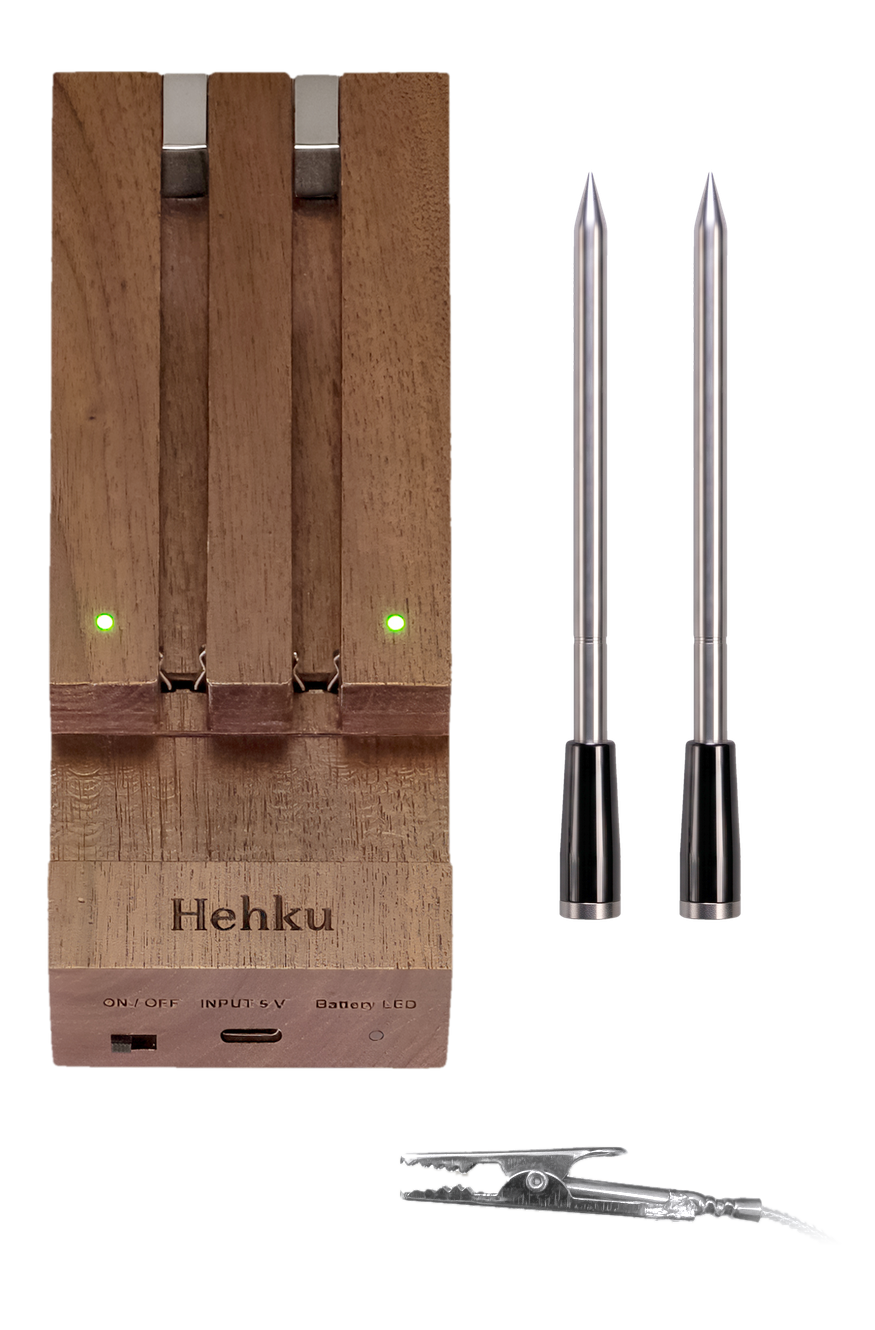 DockMeat thermometersAmbient sensor
The ceramic end withstands temperatures up to 500 °C
The ceramic end withstands temperatures up to 500 °C
Typical range of about 50 meters with the repeater dock
Typical range of about 50 meters with the repeater dock
Always insert the probe up to the safety mark
Always insert the probe up to the safety mark
Two internal temperature sensors
Two internal temperature sensors
The ambient sensor measures the oven or grill temperature up to 350 °C.
The ambient sensor measures the oven or grill temperature up to 350 °C.

Charge the probe for at least 5 minutes before use. The red light stays on while the probe charges and goes out when the probe is full. The probe charges only when the dock is turned off. The dock’s own Battery LED shows when the dock itself is charging.
The probe charges only when the dock is turned off (OFF). You cannot connect to the probe while it is charging.

LED lights
Solid red light – The probe is charging (dock OFF). The light goes out when the probe is full.
Solid green light – The probe is connected to the repeater dock.
Flashing green light – The probe is not connected to the dock.
Each probe slot has its own green light.
On the end of the dock: power switch ON/OFF, charging port USB-C (Input 5V) and the charging indicator Battery LED.
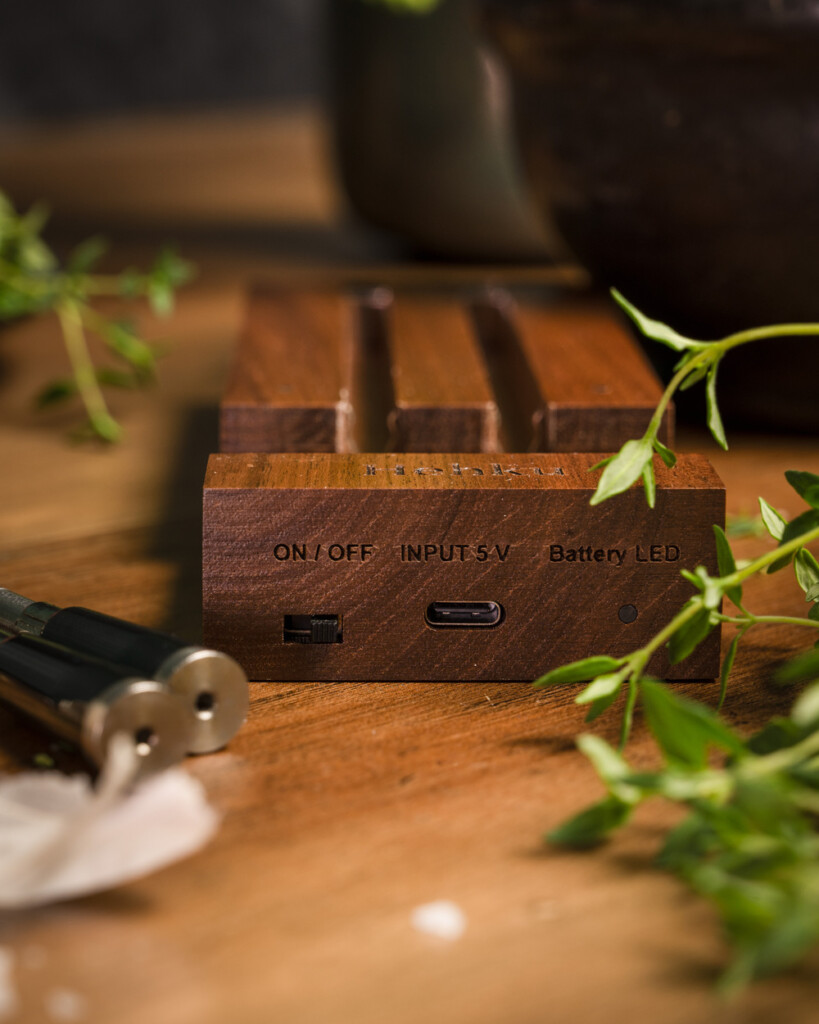

Ambient sensor
Plug the ambient sensor cable into the dock’s USB-C port and clip the sensor inside the cooker next to the food. The probe can also be used without the ambient sensor.
The sensor measures up to 350 °C and withstands 380 °C, with short peaks up to 600 °C. The ambient temperature shows in the app once the sensor sends a reading.
Do not immerse the sensor in water or put it in a dishwasher.
Cooking
Turn on the dock (ON). The Hehku probe does not need to be switched on separately; it is ready to use straight away.
Open the Hehku app on your phone or tablet and follow the connection wizard to connect the devices.
If the app does not find the probe:
- Go to the Devices page and search for probes.
- Restart the probe by placing it back in the dock while the dock is OFF, and wait until the red charging light turns on.
- Turn the dock ON and wait until the green light stays steady.
If you have connection problems, try the troubleshooter in the app: Support → Troubleshooting.
Place the dock near the cooker. The dock works as a signal repeater: the probe connects to the dock (about 3 m) and the dock to your phone or tablet (about 50 m). Metal can shorten the range, so place the dock a little away from metal surfaces.


Insert the probe into the thickest part of the meat at an angle that lets it reach the safety mark. This keeps the measuring end from being damaged by excessive heat. If the cooking temperature exceeds 110 °C, always insert the probe up to the safety mark.
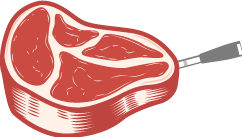
The safety mark
The safety mark
Select Start cooking, choose the dish and set the doneness you want.
The app calculates when to take the food off the heat so that carryover cooking brings it to your target temperature while it rests.
When it is time, the app alerts you. Take the food off the heat.
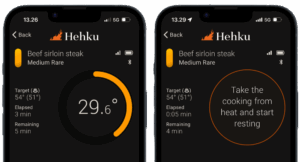

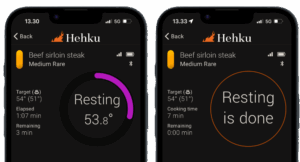
Let the food rest in a warm place. If you like, cover it loosely with aluminium foil, but do not wrap it completely. The app alerts you when resting is done.
Remove the probe and, if you like, sear the surface quickly over high heat.

Wash the probe with soap and water or in a dishwasher after use. Store the probe in the dock so it is always ready to use.
The probe cannot be turned off separately. Charge the dock as needed. The dock’s battery lasts a long time on a single charge.
Do not put the ambient sensor in a dishwasher.
Technical specifications
- Model: HCD003
- Package contents: dock, 2 x Hehku meat probe, ambient sensor, USB cable and manual
- Connection: Bluetooth 5.2 (backwards compatible)
- Range: 3 m between probe and dock, about 50 m between dock and phone
- Probe battery life: 36 hours
- Probe charging time: 5 min for two hours of cooking, 20 min for a full charge
- Probe waterproofing: IP68 (dishwasher safe)
- Probe size: 133 x 11 mm, thickness 6 mm
- Probe temperature limits: internal sensor 105 °C, ceramic end 500 °C
- Ambient sensor: measures up to 350 °C, withstands 380 °C, short peaks up to 600 °C
- Sensor accuracy: probe ±0.3 °C, ambient sensor ±1 °C
- Dock charging port: USB-C
- Dock battery and charging: 2000 mAh, 0.9 A, 5 V
- Probes at the same time per app: 8
- Warranty: 2 years
- Approvals: CE, RoHS


