Ambient temperature
The dock’s ambient sensor measures the temperature of your oven, grill or smoker next to the meat. The app shows the reading on the thermometer screen, uses it in the cooking time estimate and alerts you if the temperature drifts out of range.
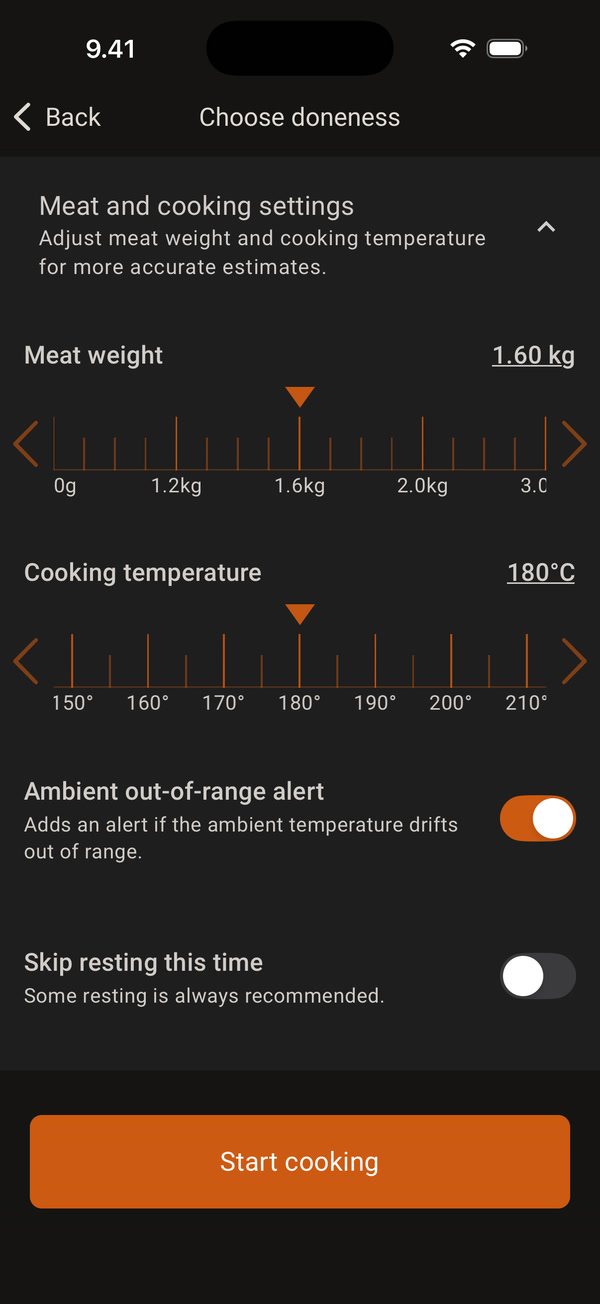
When you start a cook, open Meat and cooking settings and set the Cooking temperature, that is, the oven or grill temperature. When Ambient out-of-range alert is on, the cook gets an alert that watches the ambient temperature around this setting.
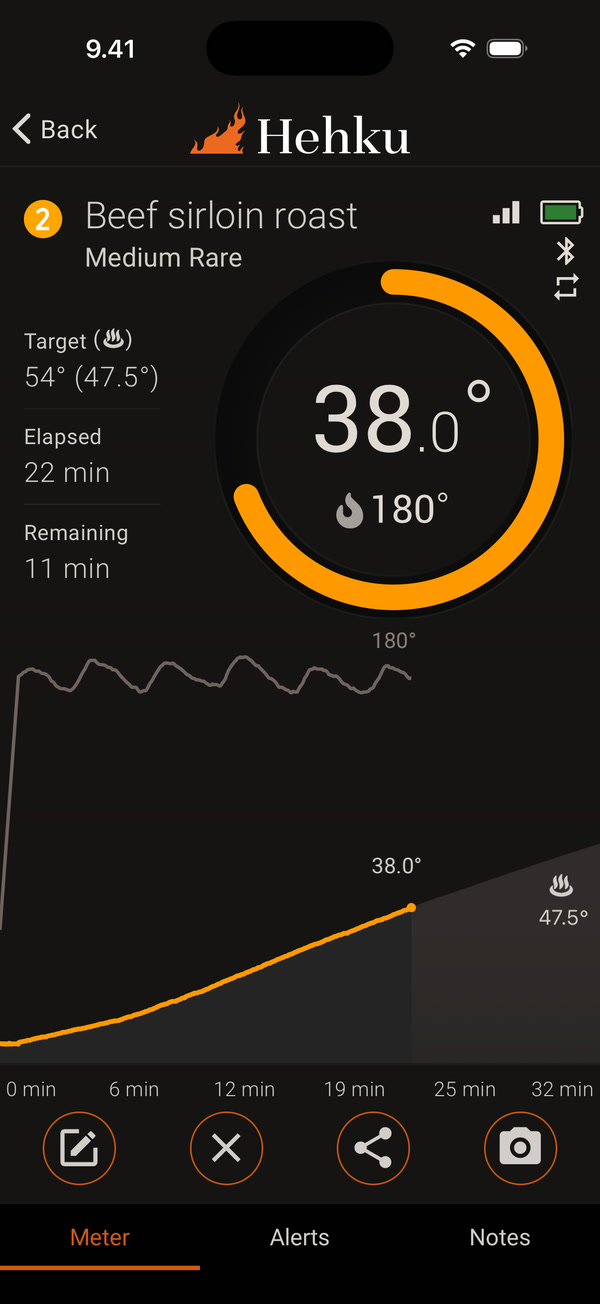
On the thermometer screen, the ambient temperature is shown on the bottom line of the ring with a flame icon, and it has its own line in the graph. The cooking time estimate uses the temperature measured by the sensor. Without the sensor, the estimate uses the cooking temperature you set.
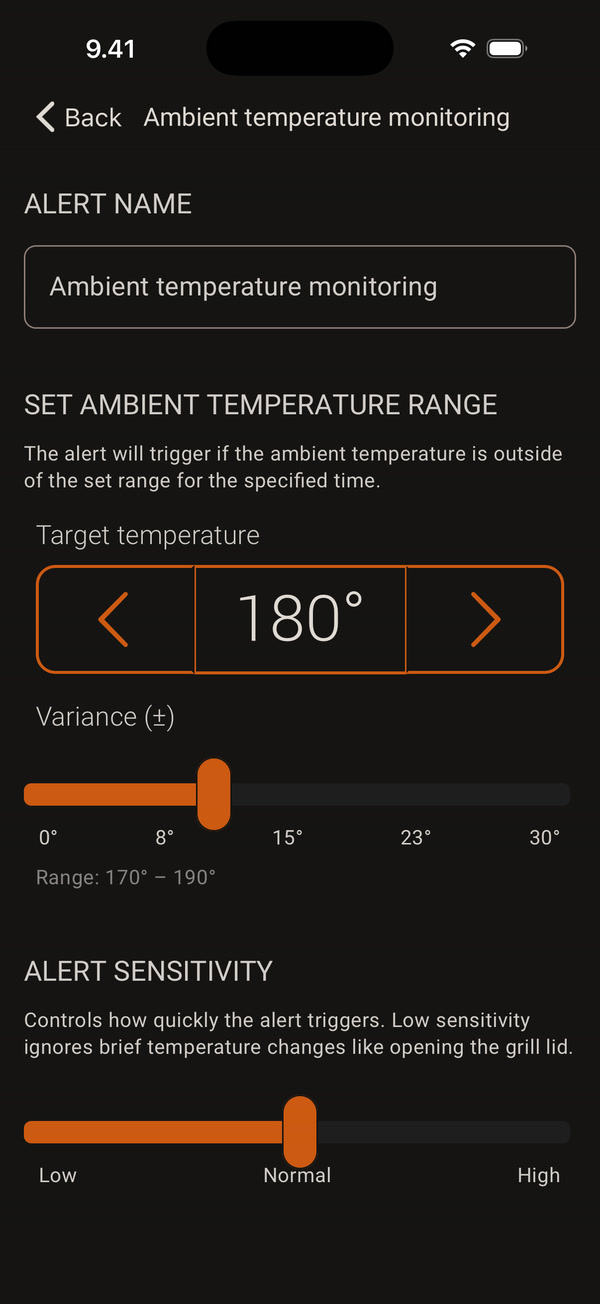
The Ambient temperature monitoring alert is on the Alerts tab. Tap it to edit it. Target temperature and Variance (±) set the allowed range, for example 170°–190°. Alert sensitivity sets how long the temperature must stay out of range before the alert: Low 12 min, Normal 6 min and High 3 min.
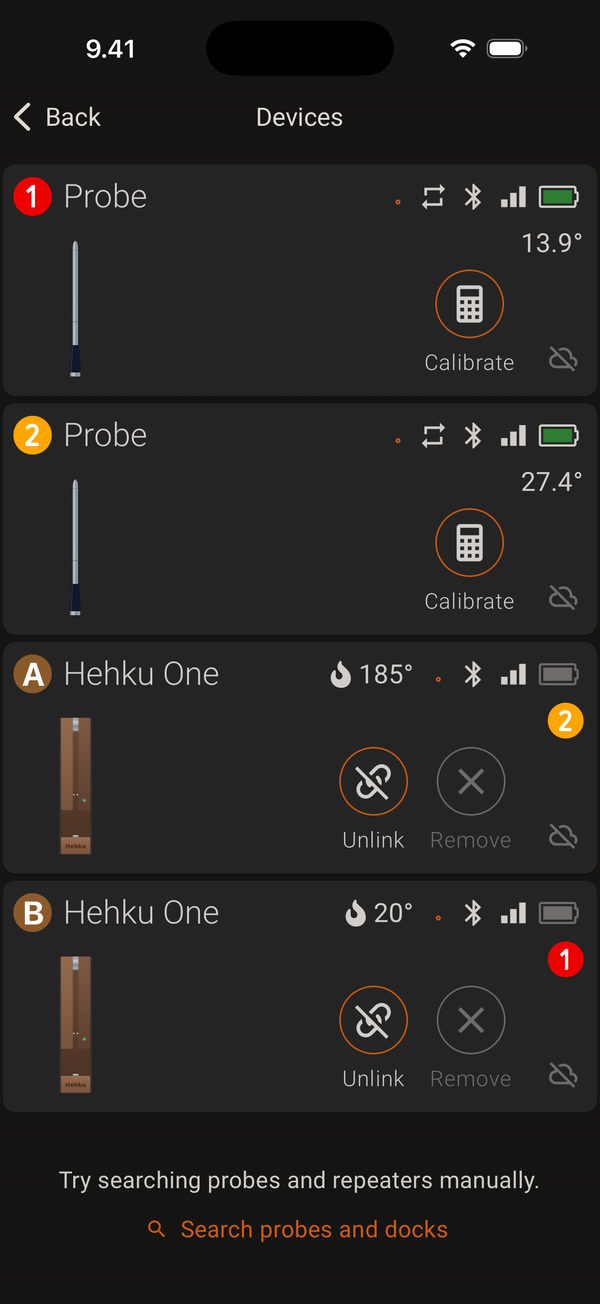
The ambient temperature is also shown with a flame icon on the dock card in the Devices view.
Connect the ambient sensor to the dock while the dock is off, and only then turn the dock on. The ambient alert is paused during resting, because the meat is already off the heat.


