Hehku app 2.0
What's new in the app
Share a cook with others, share the thermometers with your family and follow it all on your wrist. Sharing, alerts and cook history run through Hehku Cloud. Here are the highlights.
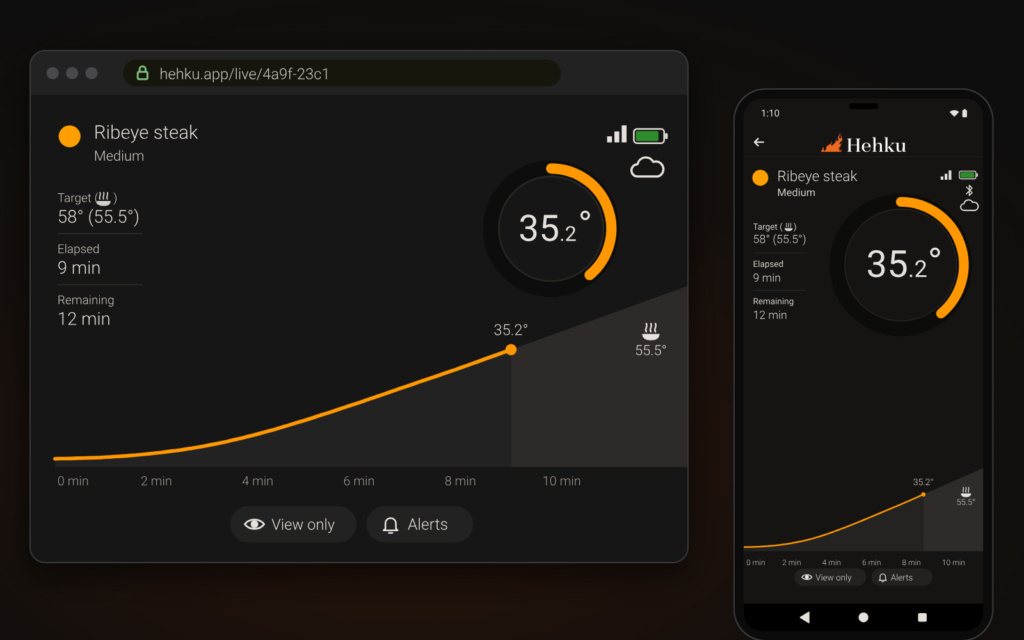
Follow and adjust your cooks in a browser too, at hehku.app.
The highlights
- Share a cook with a link
- Others follow the cook in real time in the app or in a browser. Anyone with the link can follow without an account or the app, and you can also let them make changes.
- Share the thermometers with family
- Share your meat thermometers permanently with another Hehku account. Your cooks show up in their app without a separate link.
- Alerts on every device
- Alerts reach every device on your account and the people you share with, even when the app is closed.
- Phone and tablet in sync
- On the same account, a cook started on the phone shows on the tablet and on another phone, and changes go both ways.
- Apple Watch and Wear OS
- Temperatures on your wrist and alerts you can dismiss right from the watch.
Shared cooking
Share the cook, and everyone knows when dinner is on the table
Send the cook as a link. A friend, your partner or the grill master next door sees the same temperature, stage and estimate that you do – in a browser or in the Hehku app.
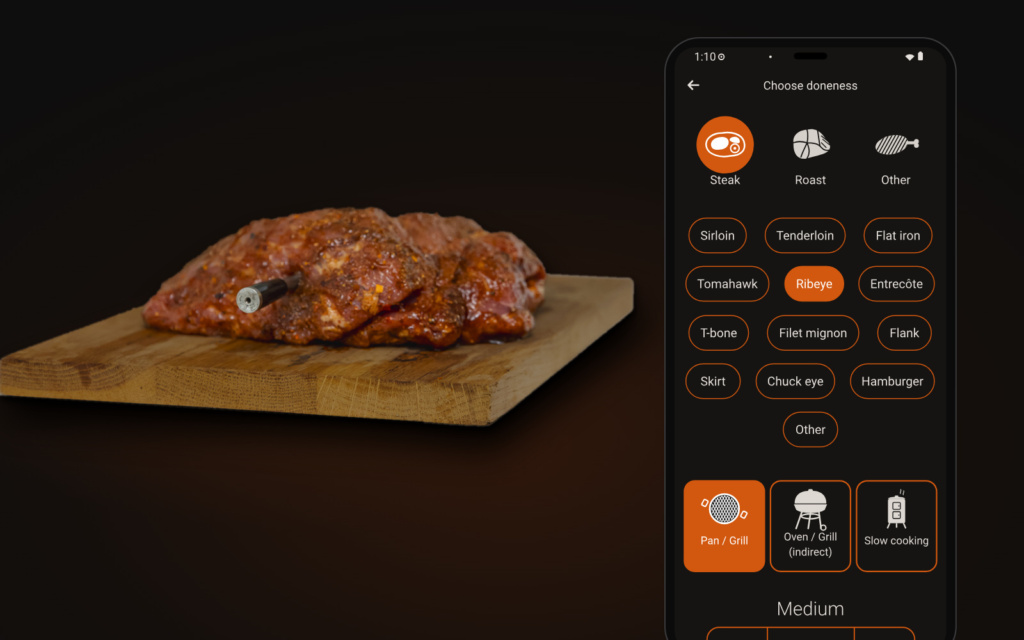 Start the cookPick what you are cooking and how you want it, as always.
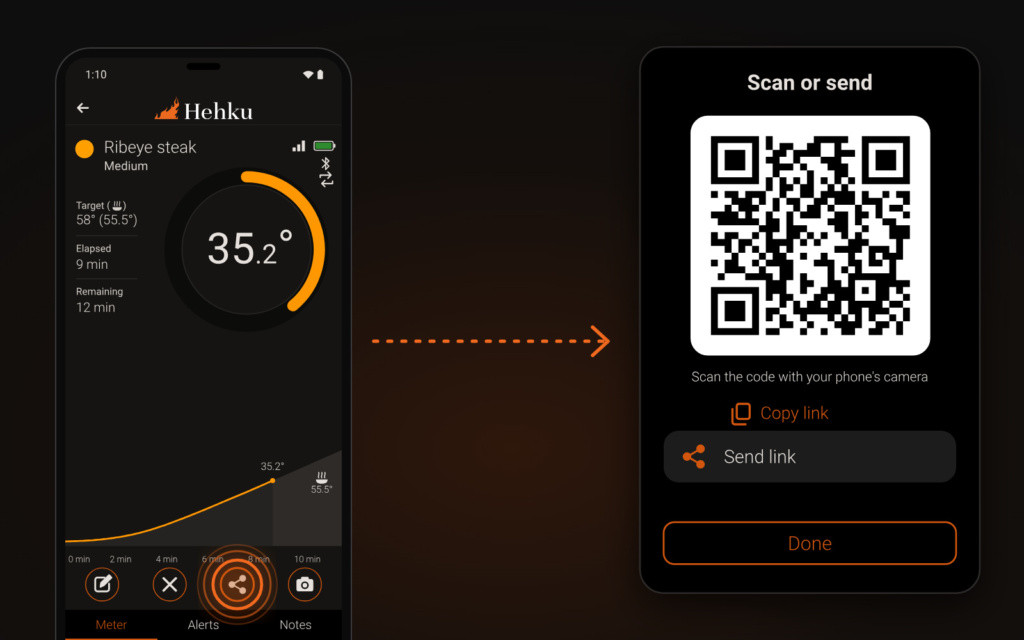 Share a live linkChoose at the same time whether they can only watch or also change the target and the alerts.
- The link opens in a browserNo app and no account needed. The link works on a phone and on a computer.
You can also share the thermometers permanently with another Hehku account, a partner for example. They then see your cooks without a separate link and get the alerts in their own language. Your own phone and tablet see the same cook without any sharing, as long as both are signed in to the same Hehku account. A second phone can also act as a bridge. Leave it at home near the thermometer, and follow and adjust the cook on your own phone wherever you are.
Smartwatches
Your cook on your wrist
Hehku works on Apple Watch and Wear OS watches. See the temperature and the time left with a glance at your wrist, even with the phone in your pocket and your hands at the grill.
- Apple Watch, watchOS 10 or later
- Wear OS 3 or later
- Watch face complications
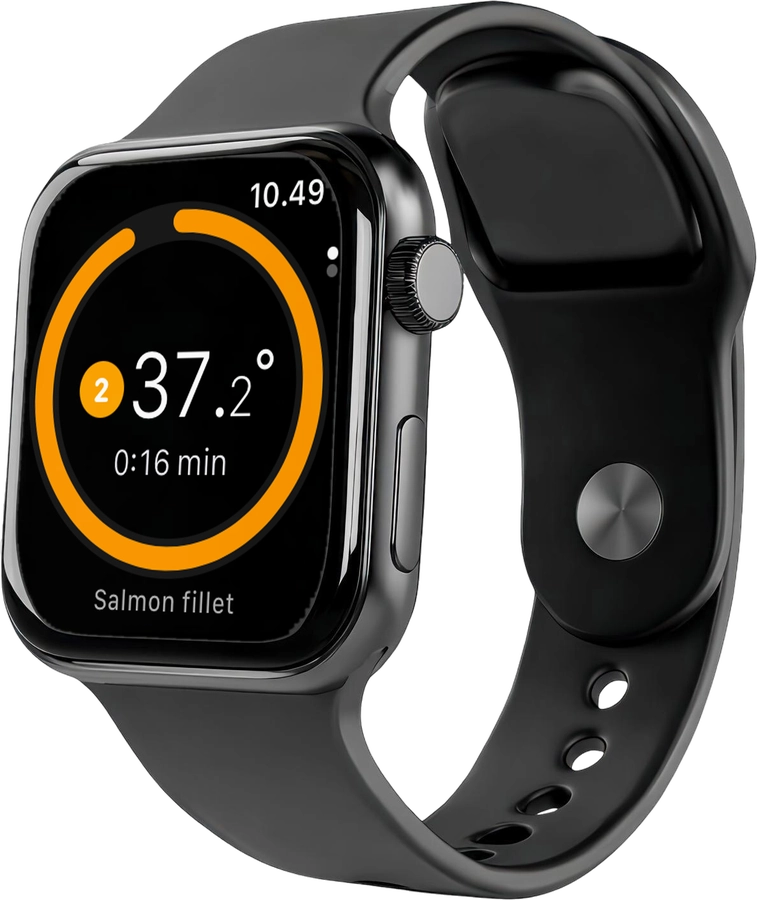
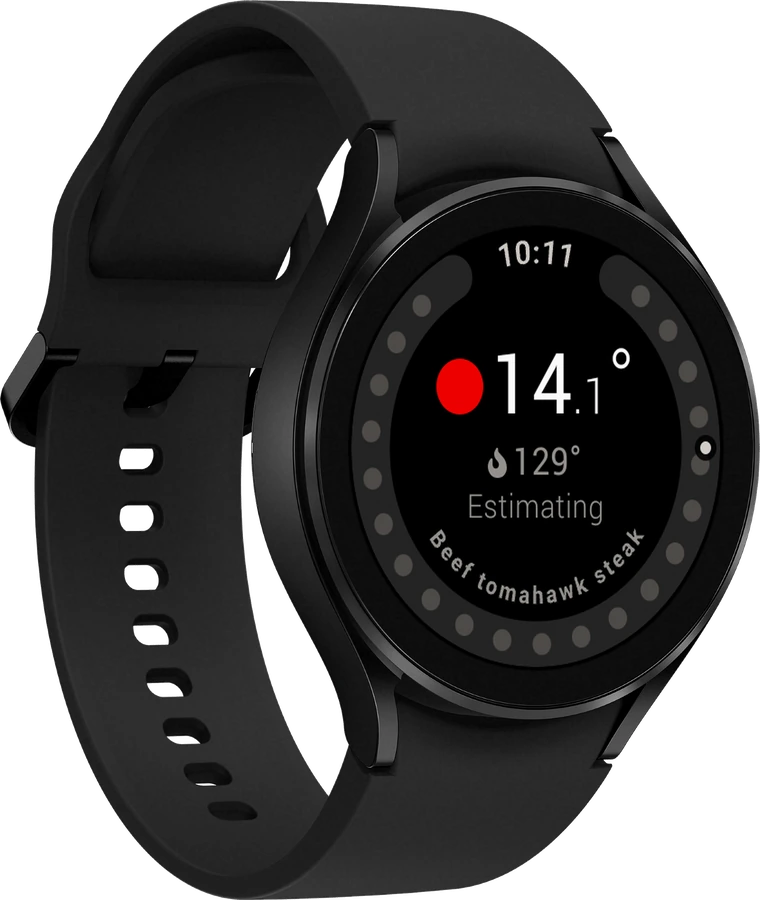
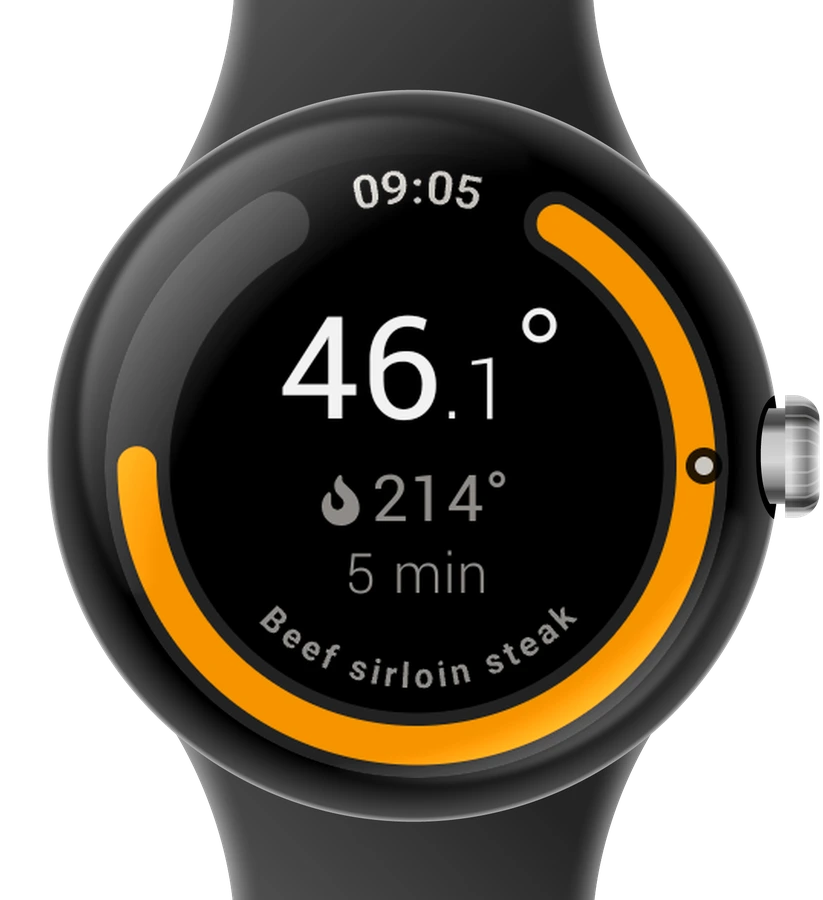 Everything at a glanceSee the temperature, target, stage and time left, including cooks shared with you.
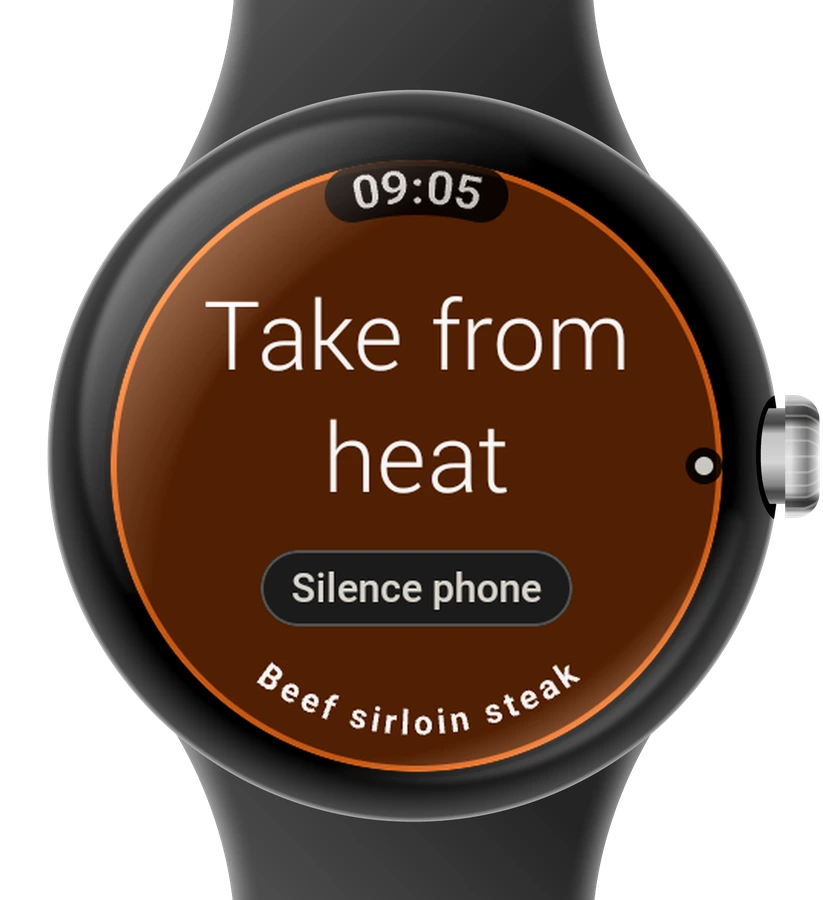 Alerts on your wristThe watch vibrates when an alert goes off. Dismiss it or silence the phone right from your wrist.
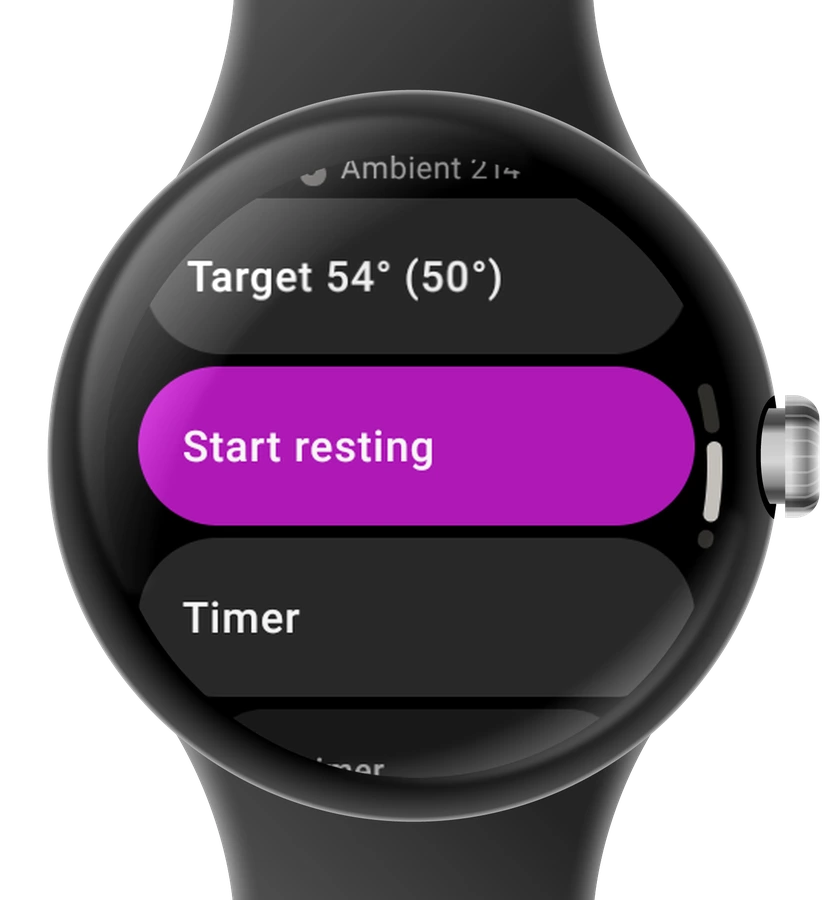 Control it from the watchAdjust the target, start resting, add a timer or end the cook.
The watch works through your phone: Apple Watch with an iPhone, Wear OS watches with an Android phone. Cooks are started on the phone, and the phone needs to be reachable.


