Free app

The Hehku app

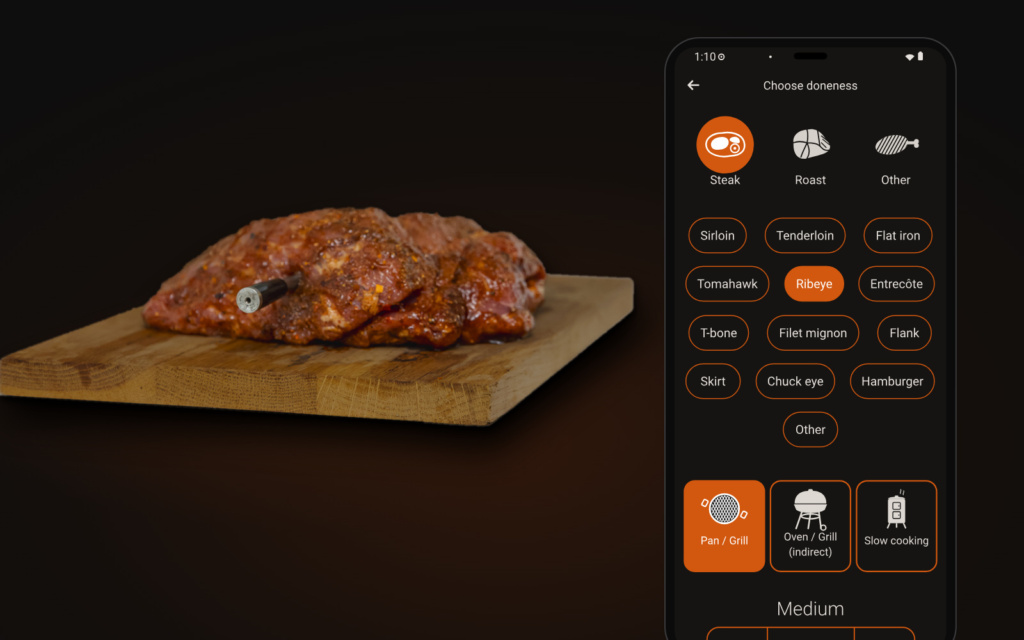
Pick what you are cooking and the app calculates when to take it off the heat, so it reaches exactly the doneness you want while it rests. Designed and developed in Finland.

App StoreGoogle Play

Or use Hehku in your browser: hehku.app

Free. Works with the Hehku One and Hehku Duo thermometers.
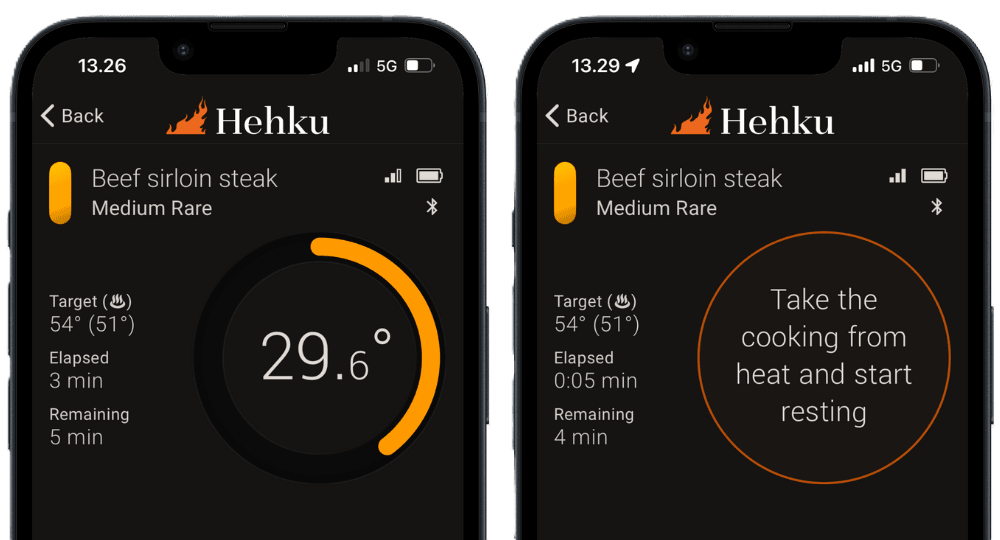

The app tells you when it is ready

Hehku app

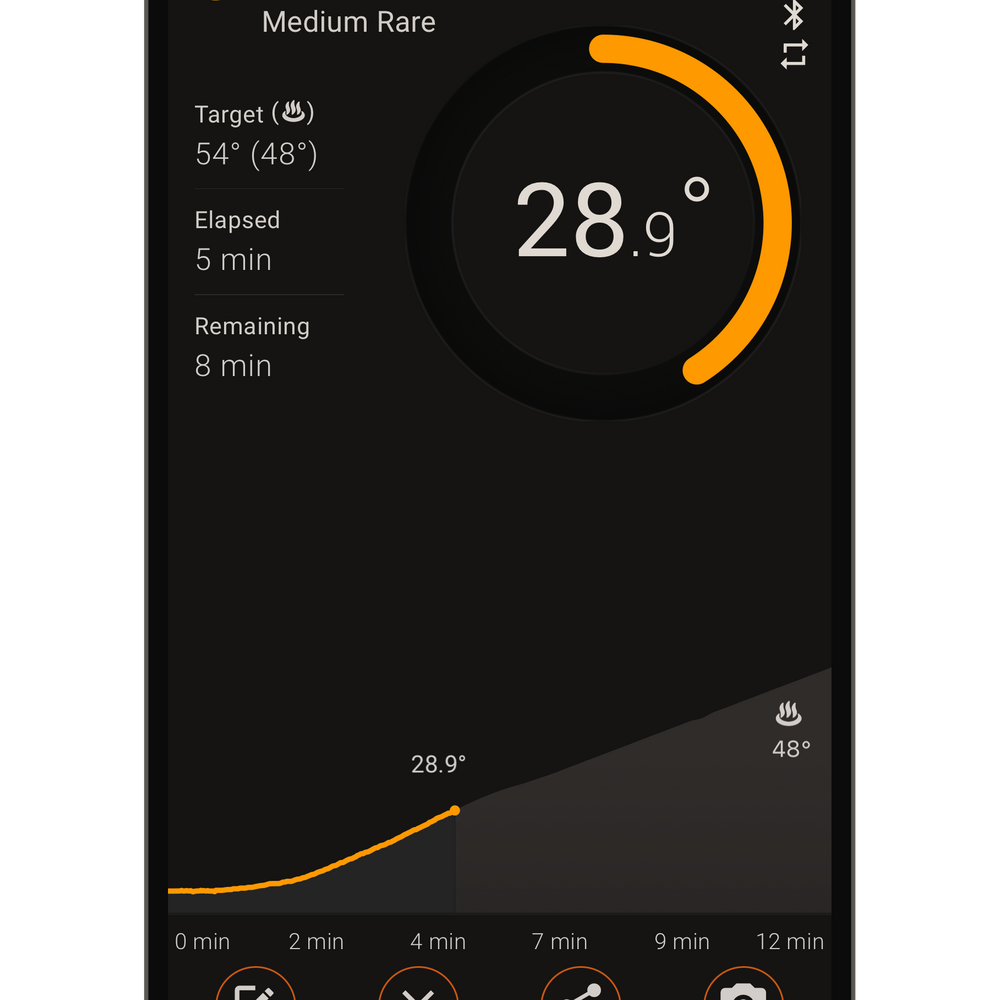
Time-to-done estimate

The app estimates how long until your food is ready from the way the temperature rises.

Hehku app

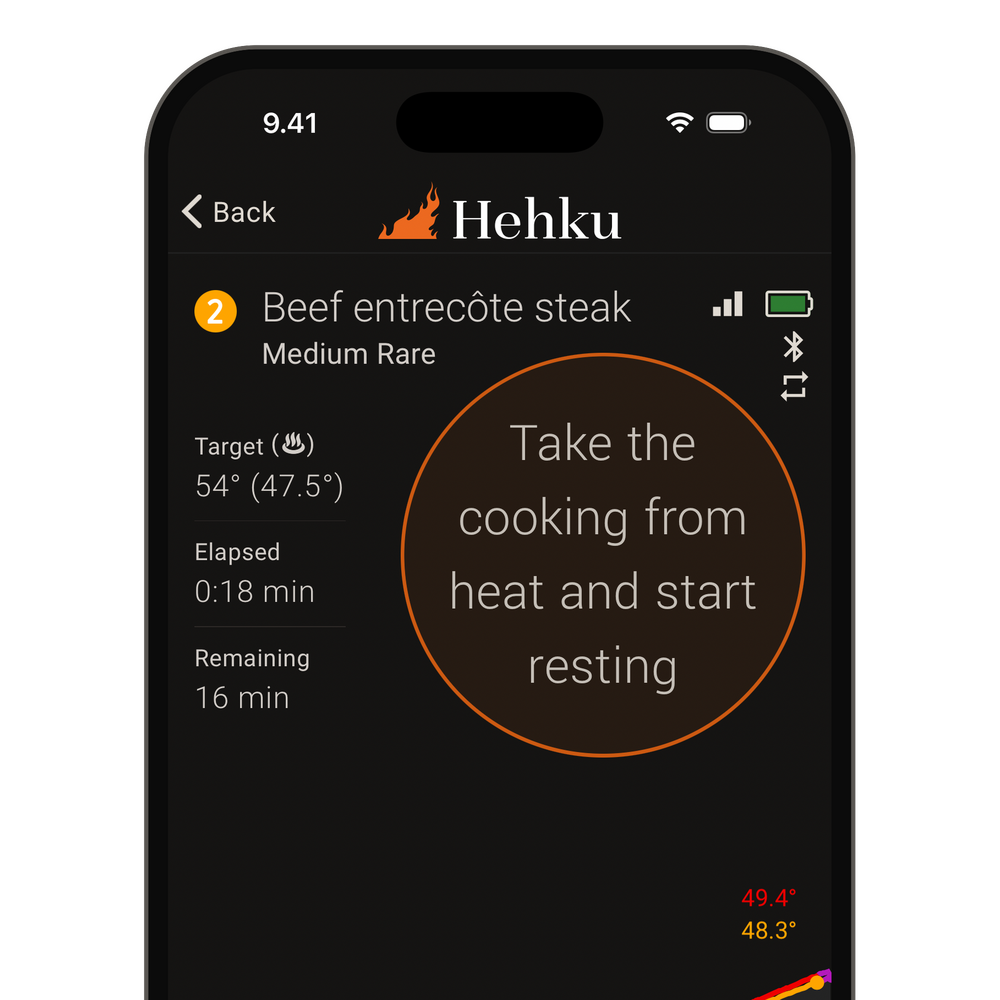
Resting

The app calculates when to take the food off the heat, so it reaches just the right doneness while it rests.

Hehku app

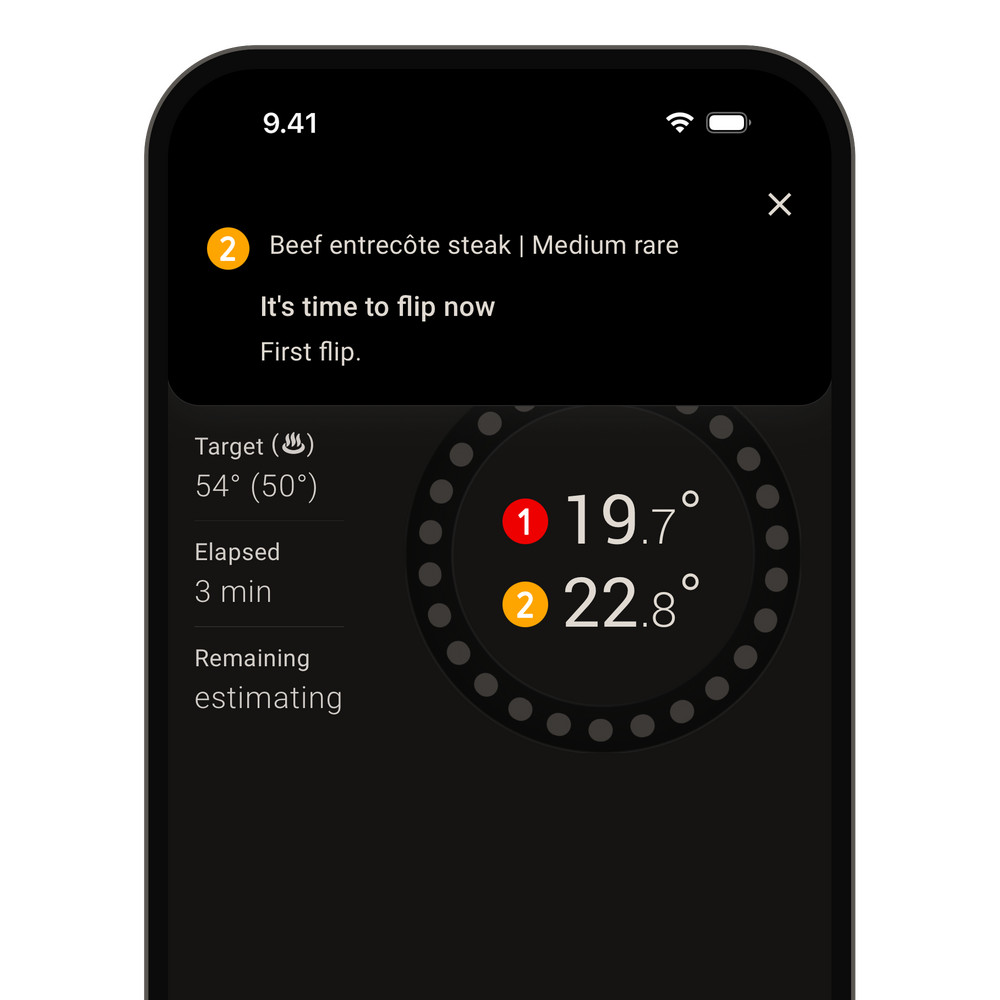
Flip timer

A reminder to flip the steak or fish on the grill at the right moment.


App developed in Finland

Hehku is a Finnish app that is easy to use. All you need is one or more Hehku meat thermometers.

  • Presets from beef to game, fish and offal.
  • Real-time temperature monitoring with an intuitive interface.
  • Alerts when it is time to take the food off the heat and when it is ready to serve.
  • Live tracking in the notification bar, and on iPhone in the Dynamic Island and on the lock screen.
  • Share a cook with a live link, and friends can follow it in a browser.
  • Timed cooking: set the duration and the app estimates the final temperature.
  • Apple Watch and Wear OS: see the temperature on your wrist, dismiss alerts and set timers.
  • The ambient temperature shows as its own line, with an alert if the heat strays outside your limits (with the Gen 2 ambient sensor).
  • Follow and adjust your cooks in a browser too, at hehku.app.
samsung_galaxy_s23

Shared cooking

Share the cook, and everyone knows when dinner is on the table

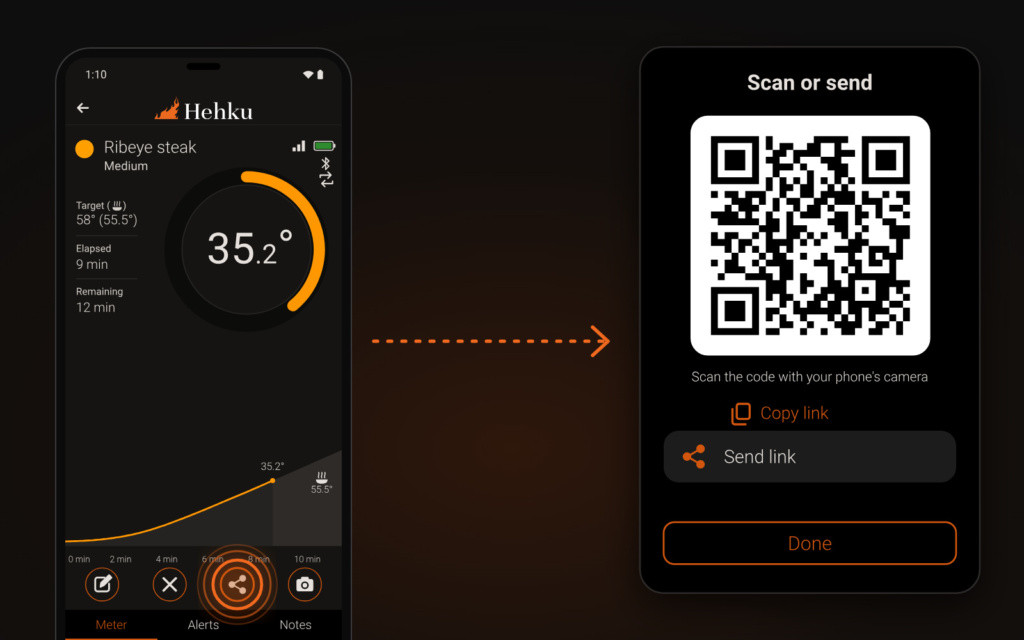
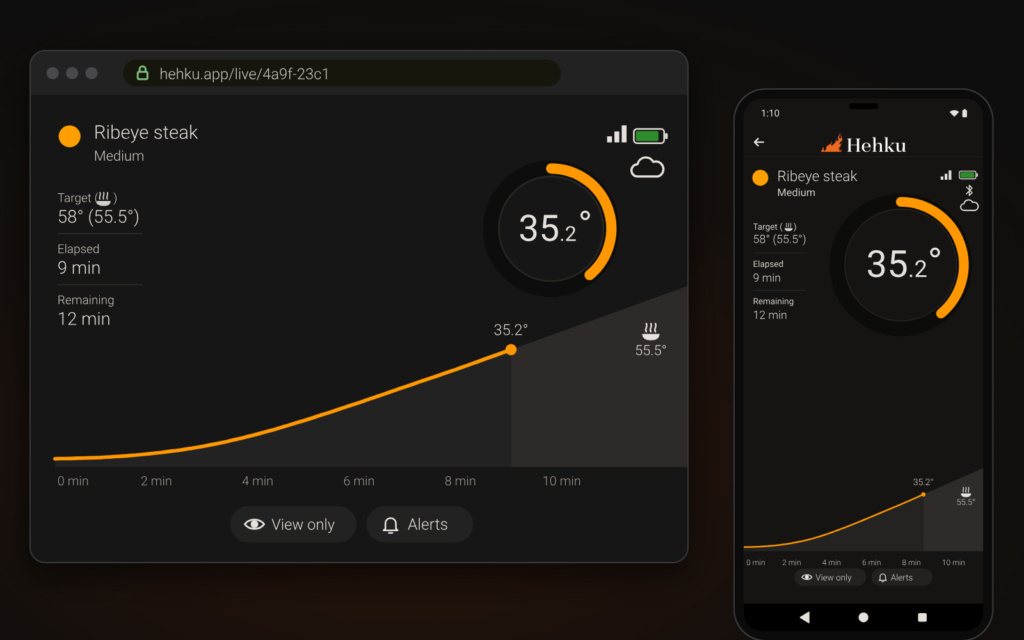
Send the cook as a link. A friend, your partner or the grill master next door sees the same temperature, stage and estimate that you do – in a browser or in the Hehku app.

  1. Start the cookStart the cookPick what you are cooking and how you want it, as always.
  2. Share a live linkShare a live linkChoose at the same time whether they can only watch or also change the target and the alerts.
  3. The link opens in a browserThe link opens in a browserNo app and no account needed. The link works on a phone and on a computer.

You can also share the thermometers permanently with another Hehku account, a partner for example. They then see your cooks without a separate link and get the alerts in their own language. Your own phone and tablet see the same cook without any sharing, as long as both are signed in to the same Hehku account. A second phone can also act as a bridge. Leave it at home near the thermometer, and follow and adjust the cook on your own phone wherever you are.


Two or more thermometers

Hehku app

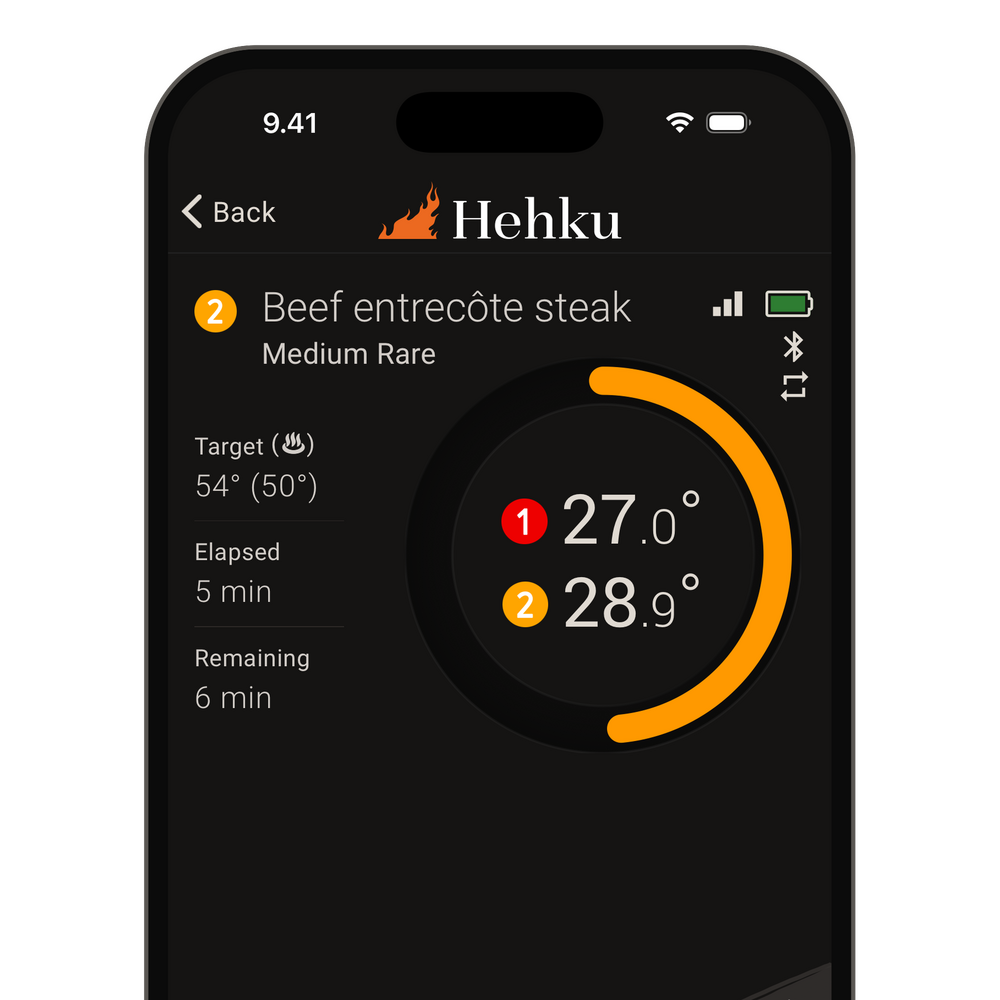
Two thermometers in one cook

Measure a large roast in two spots, with both temperatures in the same view.

Hehku app

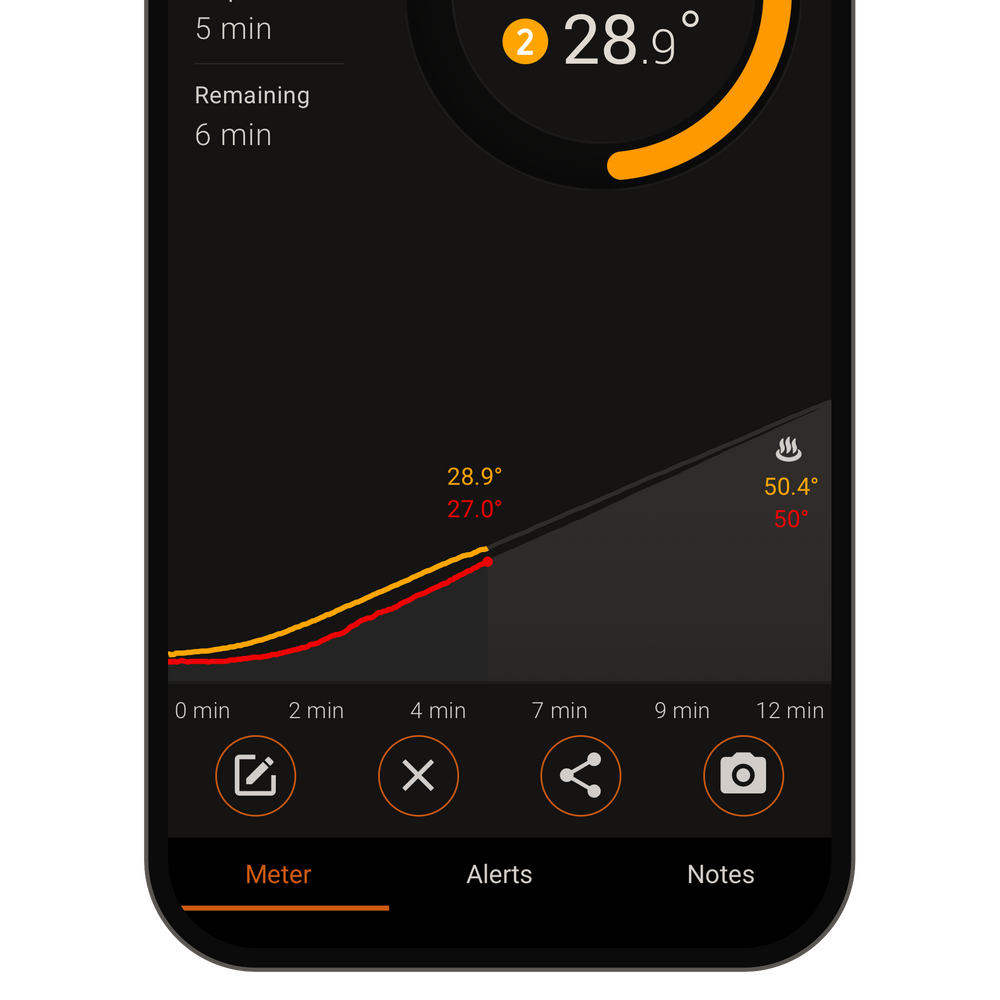
Two curves, one roast

Each thermometer draws its own curve on the graph, so you can see how the roast heats up in both spots.

Hehku app

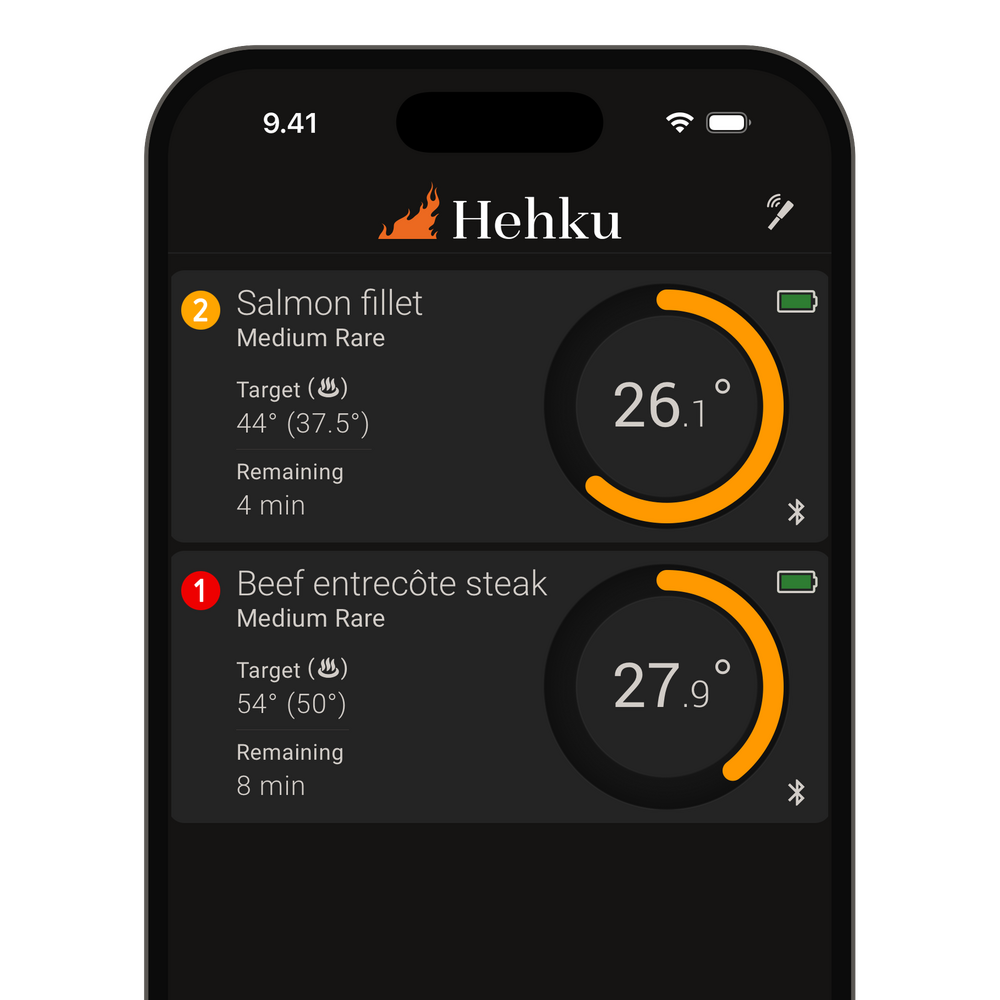
Several thermometers in one view

Follow several foods at once, each with its own target temperature.


Alerts that reach you

Hehku app

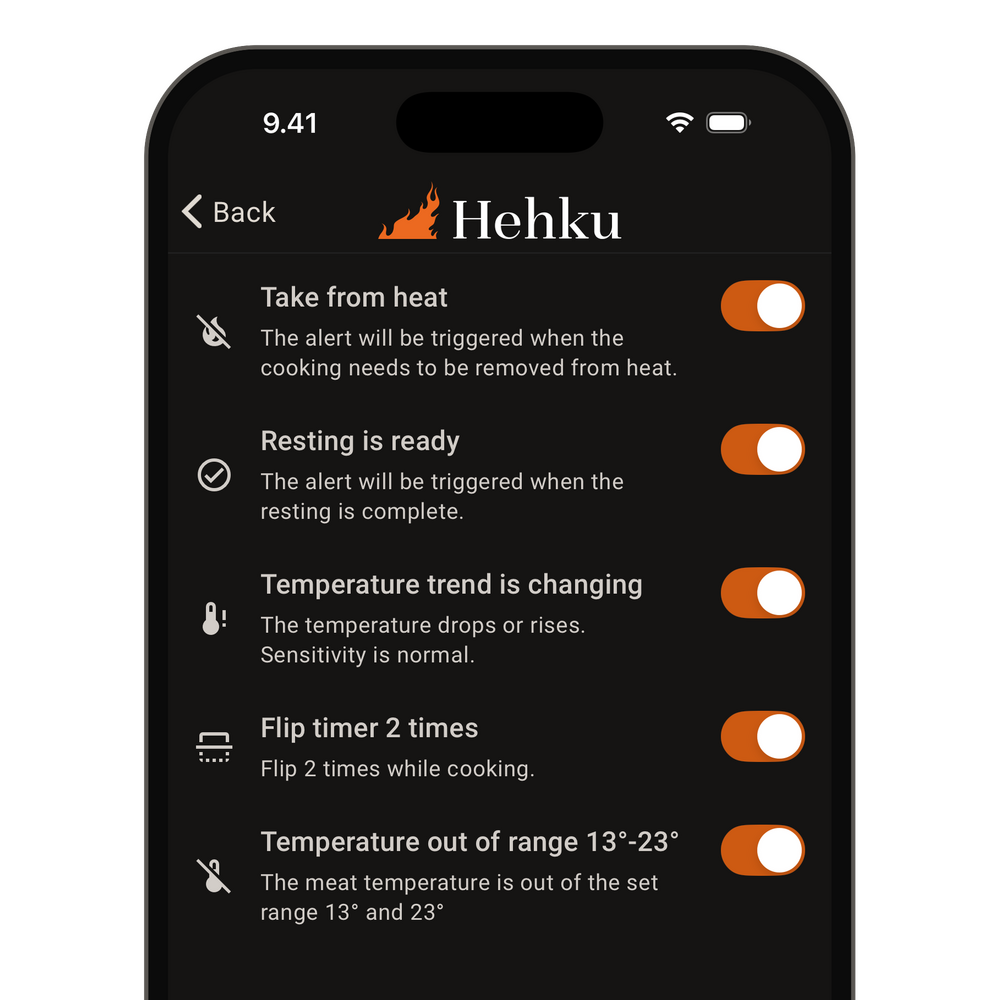
Custom alerts

Set your own alerts to match the way you cook.

Hehku app

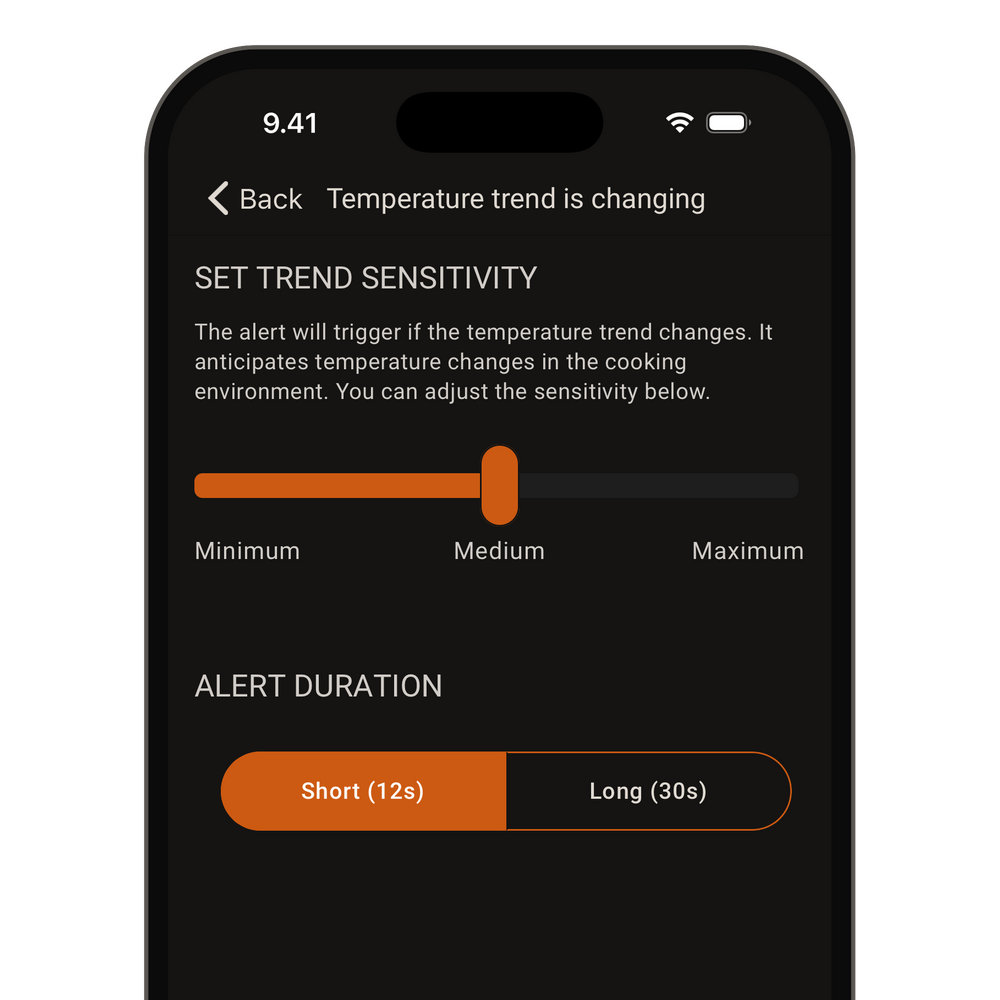
Temperature trend alert

An alert when the temperature rise suddenly changes, for example when the grill dies down.

Hehku app

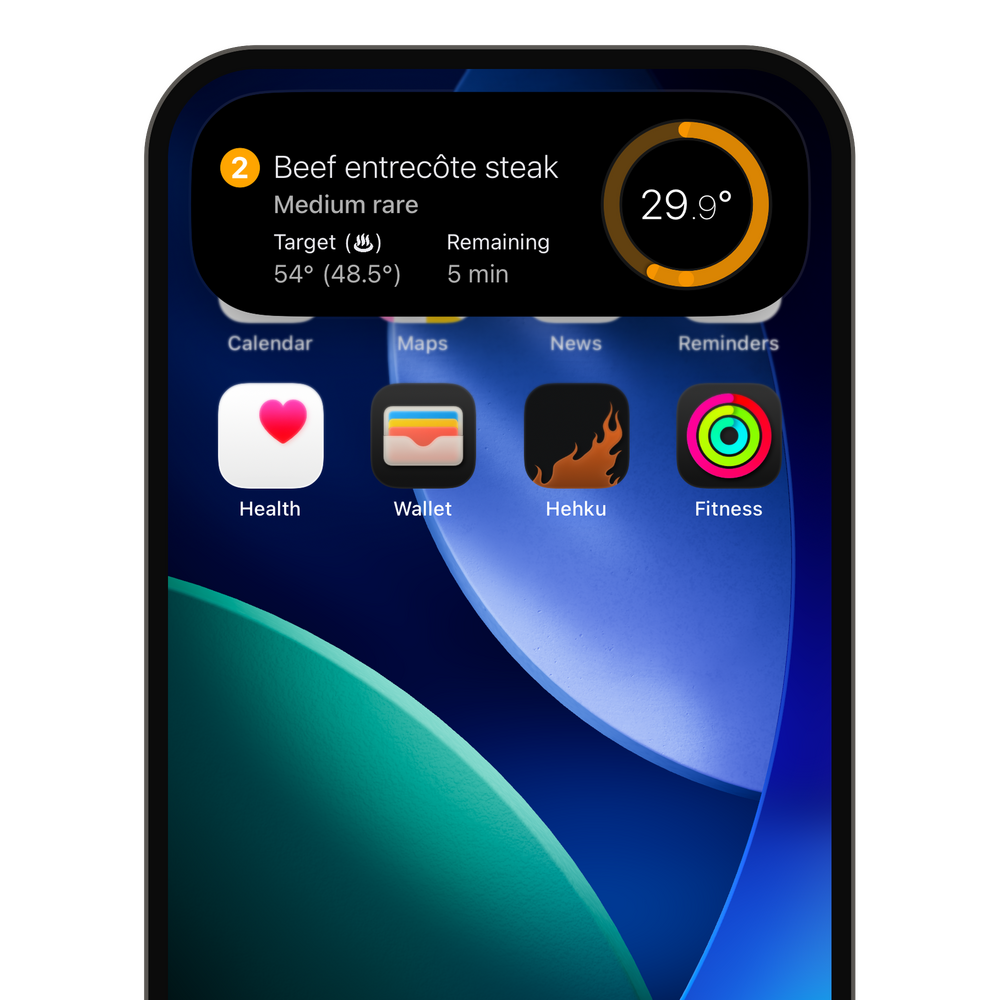
Live tracking

Each Hehku thermometer appears in the notification bar on Android. On iPhone, follow the cook in the Dynamic Island and on the lock screen.


Clear user interface

The interface is clear and easy to use, so you get it right every time.

  • Add alerts and notifications as you like
  • Browse your past cooks
  • Rate your cooks and add photos and notes
  • Try the app in demo mode without a thermometer
  • The forecast continues the curve, which you can scrub with a finger.
samsung_galaxy_s23

On your wrist

Hehku app

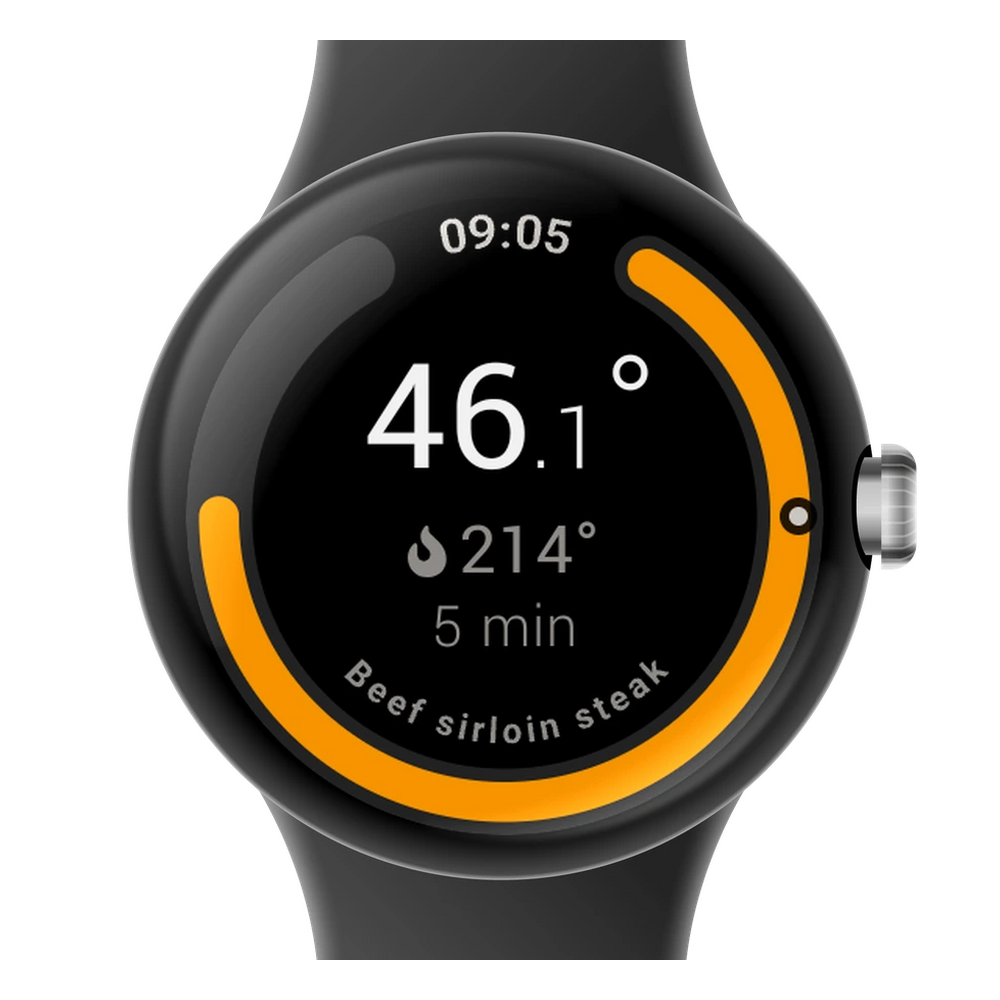
Temperature on your watch

See the internal temperature and time remaining right on your Apple Watch or Wear OS watch.

Hehku app

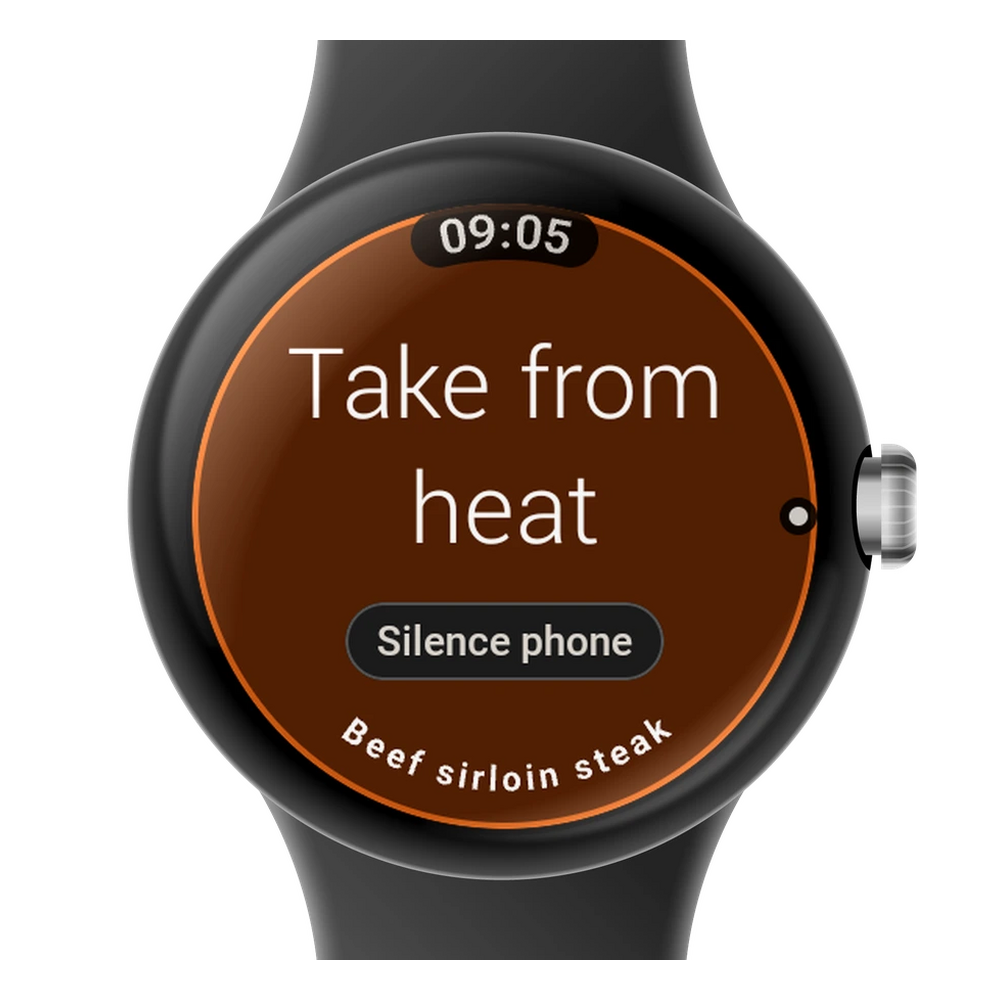
Alerts on your wrist

Your watch vibrates when it is time to take the food off the heat. You can silence the phone right from the watch.

Hehku app

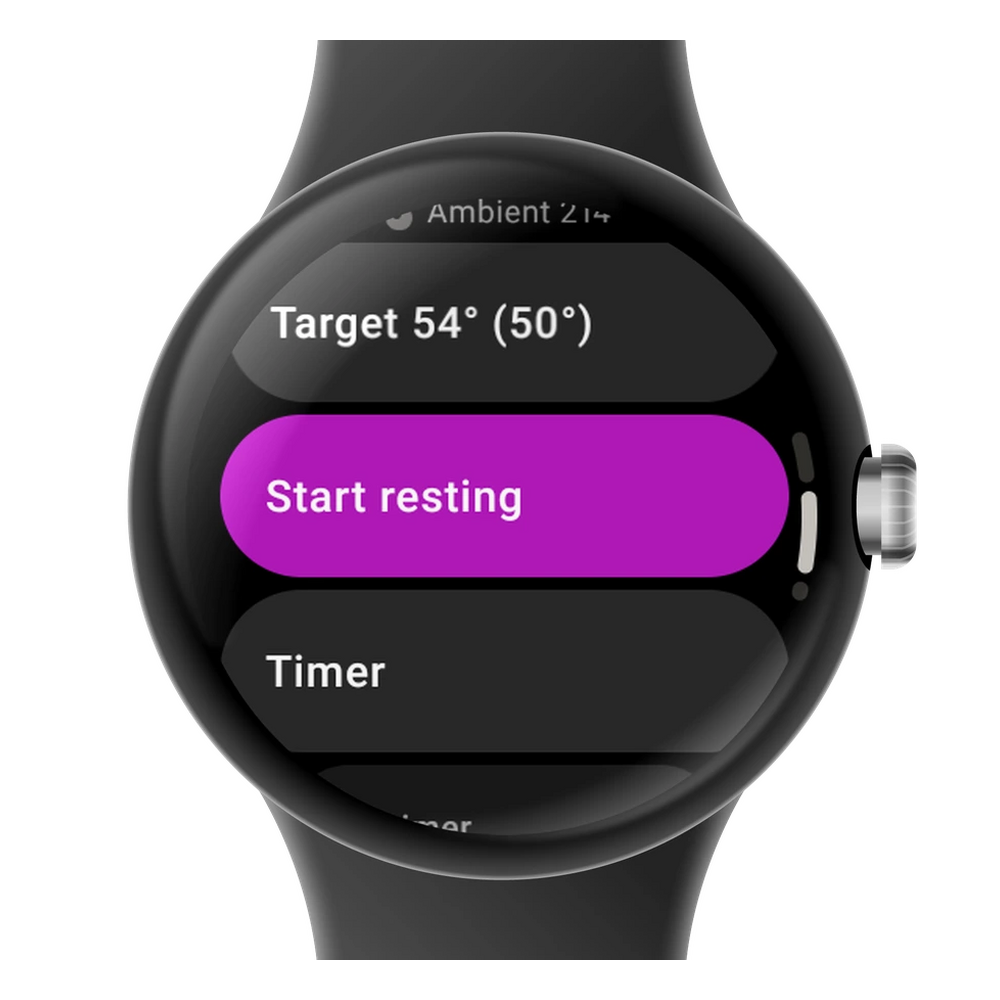
Control from your watch

Start resting or a timer from your watch without reaching for your phone.


Try the Hehku app

You can explore the app in demo mode, even without a thermometer. Try out the features before you buy.

App StoreGoogle Play

The details

Requirements
iOS 16.4 or later, Android 8.0 or later
Works with
Hehku One and Hehku Duo, up to eight thermometers on one phone
Smartwatches
Apple Watch (watchOS 10 or later) with an iPhone, Wear OS 3 or later with an Android phone
Languages
Finnish, English, Swedish, German, Danish and Estonian
Price
Free, no subscriptions

Questions about the app

Can I try the app without a thermometer?

Yes. Demo mode shows every screen and feature without a device, so you can see the app before you buy.

Which phones are supported?

iOS 16.4 or later and Android 8.0 or later. The app is free in both stores.

How many thermometers on one phone?

Eight. One thermometer can be connected to a single phone at a time.

Does the app work on a smartwatch?

Yes. Apple Watch (watchOS 10 or later) works with an iPhone, and Wear OS 3 or later with an Android phone. The watch shows the temperature, the stage and the time left, and alerts come to your wrist. From the watch you can dismiss an alert, adjust the target, start resting and add a timer. The watch works through the phone, so cooks are started on the phone.

Does the app need an internet connection?

Cooking works over Bluetooth through the dock. An internet connection is needed to save your cooking history to the cloud and to share cooks.


Try the app, then choose your thermometer

Choose your model2-year warranty · 30-day returns
Need Help?